
Free Mac app · Local-first · No in-app purchases
Video Compressor - GIF MP4 — compress, convert, and batch video on your Mac
One app to shrink big videos, convert between MP4, MOV, and WebM, turn clips into GIFs, merge files, export audio, and trim or crop — all processed on your machine. Built-in FFmpeg and a folder watcher mean you can run a queue or automate a pipeline without leaving macOS.
Free17.2 MBmacOS 15.0+Local-firstNo FFmpeg setup
Features
Six core tools, one quiet workbench
Everything you need to move video between formats, sizes, and devices — without leaving your Mac.
Compress video
Cut file size on MP4, MOV, and WebM with quality presets you can actually feel.
Trim a 4K screen recording from 800 MB down to something that fits in an email or chat.
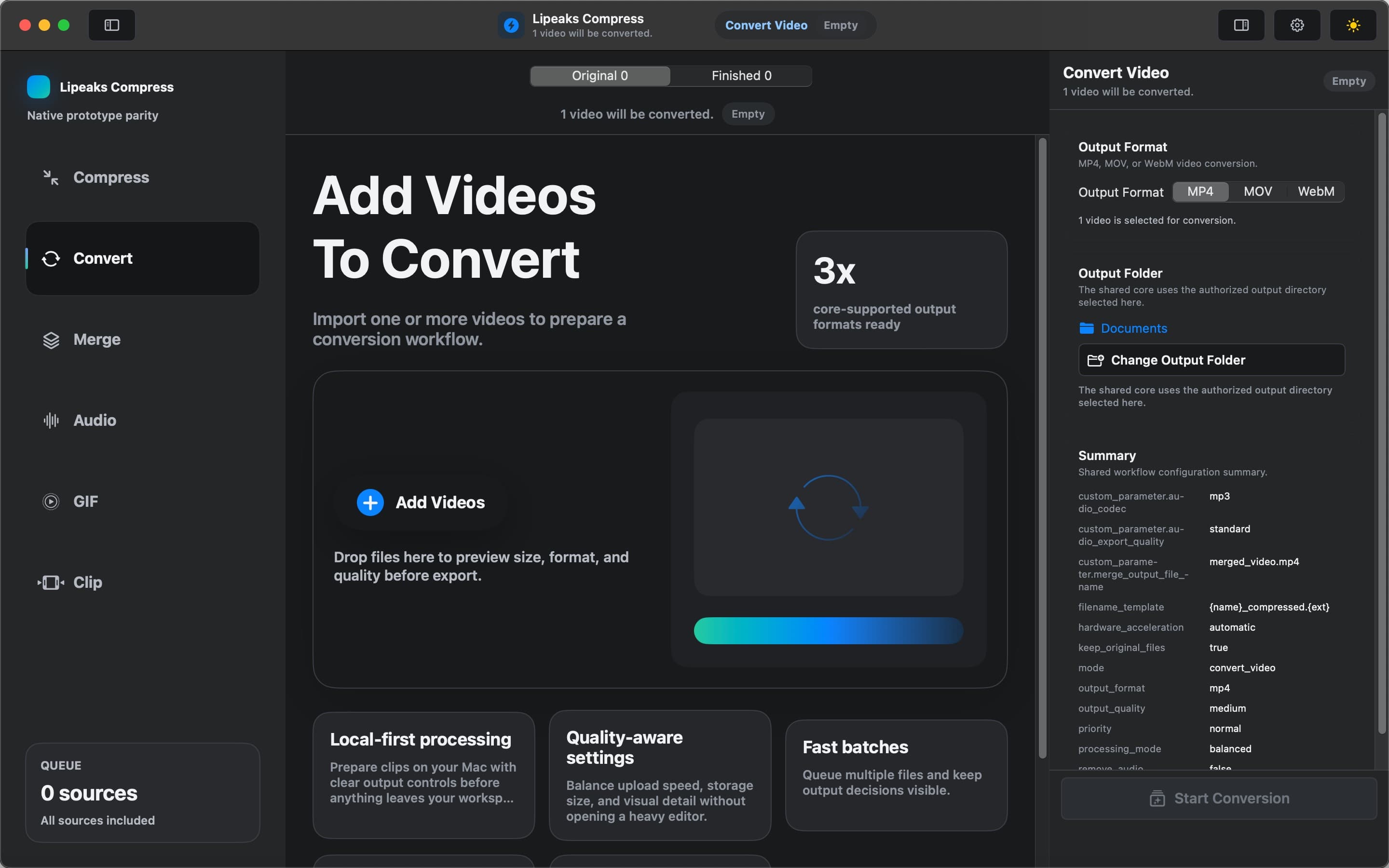
Format conversion
Convert between MP4, MOV, and WebM without installing extra codecs.
Turn a .mov from your camera roll into MP4 so it plays everywhere and uploads cleanly.
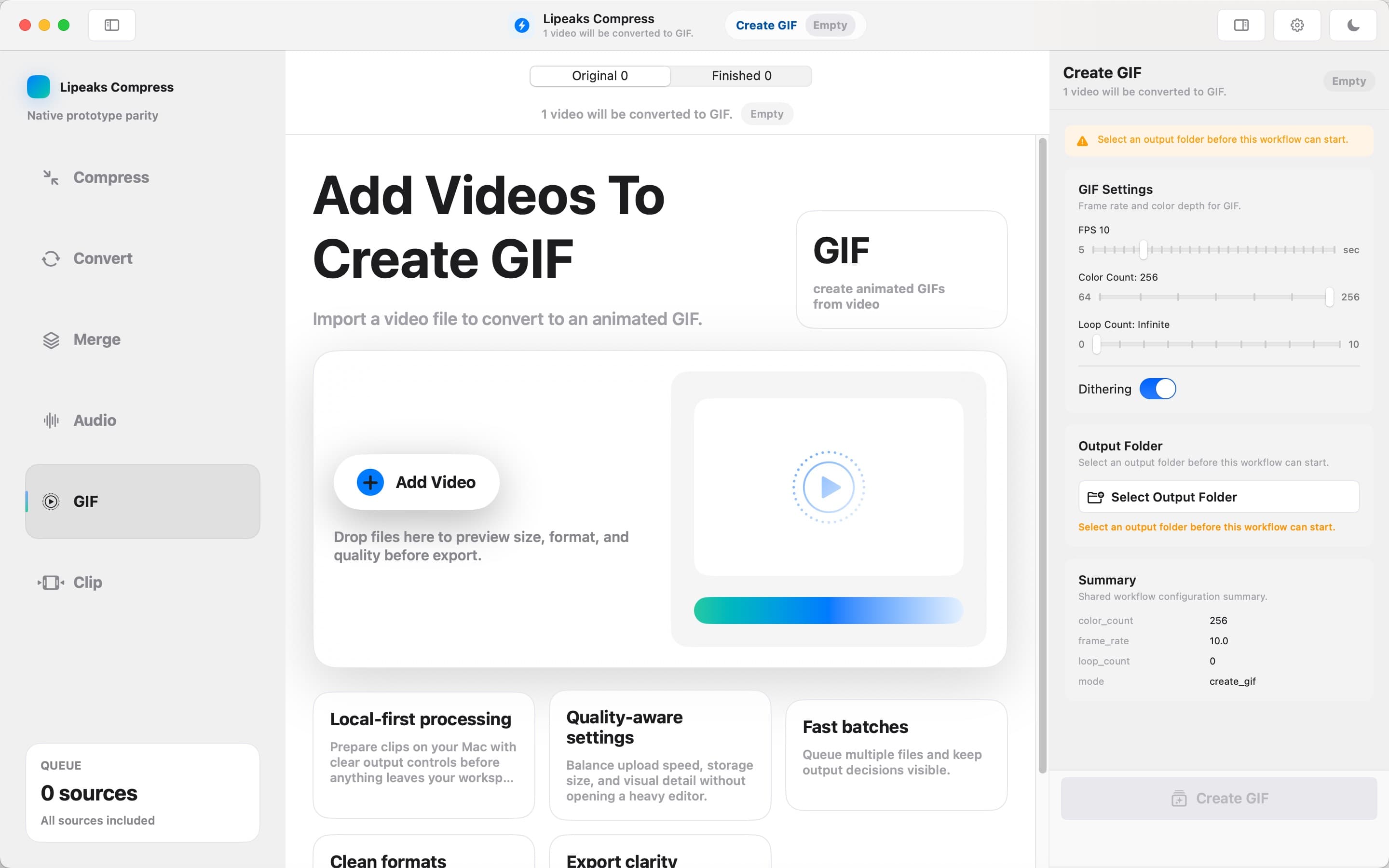
Video to GIF
Make looping GIFs from any clip, with size and frame control.
Turn a 6-second reaction clip into a GIF for chat, docs, or social.
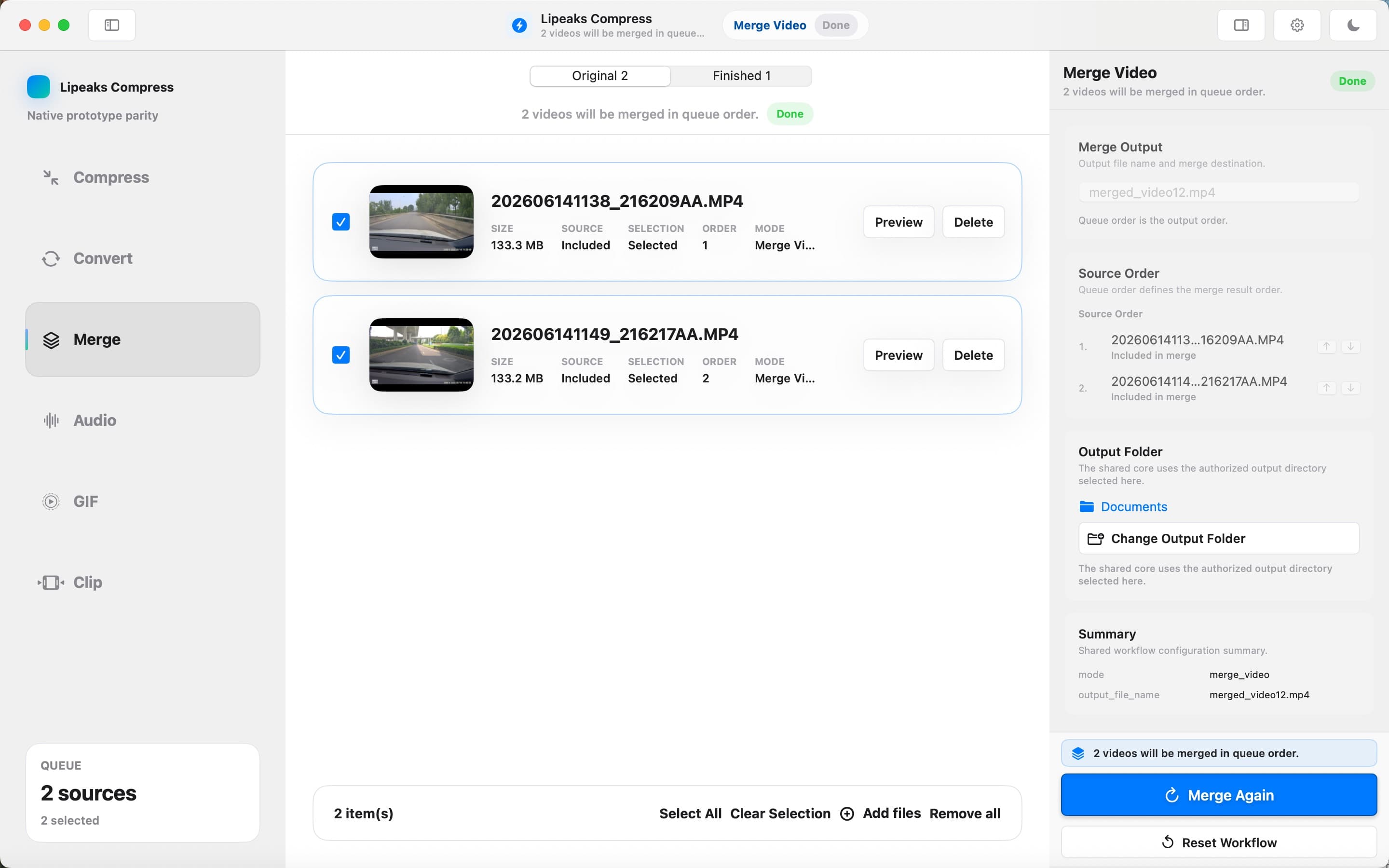
Merge clips
Join multiple videos into one file in a single pass.
Stitch lecture segments, demo clips, or travel footage into one shareable video.
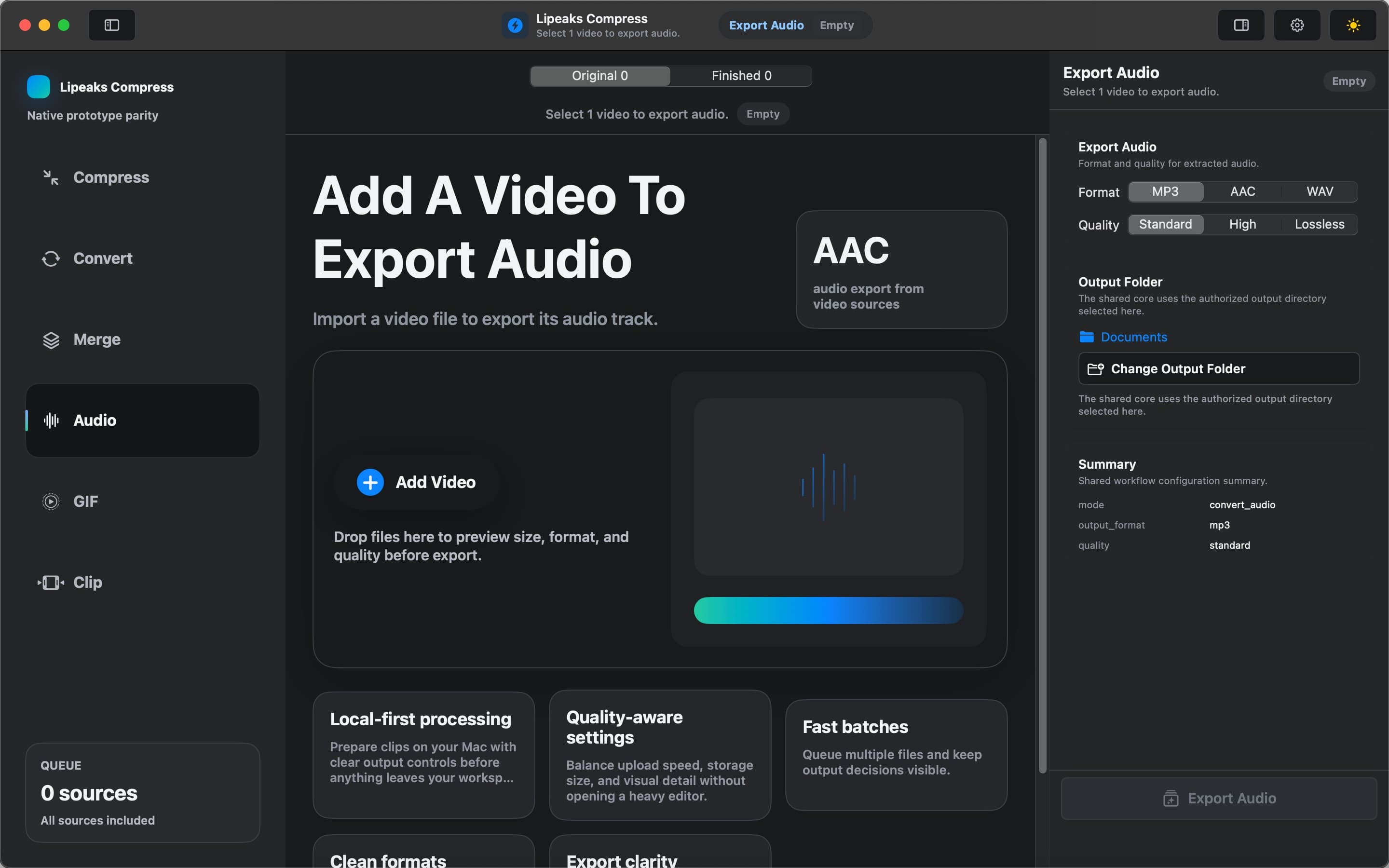
Audio export
Pull audio out of a video as MP3, AAC, or WAV.
Save a podcast clip or interview audio from a video for offline listening.
Trim and crop
Trim the parts you don't need and crop to the frame you want.
Cut dead air off the start and end, then crop to 16:9 for a clean upload.
Why this app
Built for privacy, speed, and automation
A local-first Mac app that ships its own encoder and a CLI, so you stay in control of every file.
Local-first
Your videos are processed on your Mac. Nothing gets uploaded to a server, so large files and private footage stay private.
Built-in FFmpeg
The encoder ships inside the app. No terminal install, no PATH edits, no "ffmpeg not found." Open the app and it just works.
Folder watching
Point the app at a folder and it processes new videos automatically into an output folder. Drop files in, walk away, come back to results.
Built-in lipeaks-cli
A command-line tool for scripting, batch jobs, and agent automation. Pipe a queue through a shell script or hand it to an agent without writing a GUI wrapper.
Hardware acceleration
Uses your Mac's hardware encoders so compressions and conversions finish faster and use less battery.
Use cases
Where it fits your day
From a quick chat attachment to a hands-off batch pipeline.
Upload and chat compression
Shrink videos before sending in Messages, Mail, Slack, or Discord so they actually attach and load fast.
Social-ready GIFs
Turn reaction clips and highlights into looping GIFs for posts, replies, and docs.
Batch storage cleanup
Drag a whole folder in, compress everything in one queue, and reclaim disk space without babysitting each file.
Automation workflows
Watch a folder, auto-compress new drops, and chain lipeaks-cli into scripts or agents for hands-off pipelines.
Automation
Folder watching and lipeaks-cli
Watch a folder, process new drops automatically, and drive the same jobs from a terminal.
- 1
Point the app at a source folder (for example, your Downloads or a shared scratch drive).
- 2
Choose what happens to each new video — compress, convert to MP4, or convert to GIF.
- 3
The app processes every file that lands in the folder and writes results to an output folder.
- 4
Optional: drive the same jobs from a terminal with lipeaks-cli, or hand the commands to an agent for fully unattended batches.
lipeaks-cli example commands — illustrative, confirm against lipeaks-cli --help.
lipeaks-cli compress ./input/*.mov --target-size 50MB --out ./output
lipeaks-cli convert ./input/* --to mp4 --out ./output
lipeaks-cli gif ./input/clip.mov --width 480 --fps 15 --out ./output/clip.gif
Specs
App details
Free, multi-platform, and local-first.
Changelog
Release history
What changed in each release.
v2.0.0
CurrentLatestMajor update with a refreshed interface and faster, hardware-accelerated processing. New built-in lipeaks-cli for scripting, batch jobs, and agent automation. Folder watching: new videos dropped into a watched folder are processed automatically into an output folder. Expanded format support across compress, convert, video-to-GIF, merge, audio export, and trim/crop. Local-first processing — videos stay on your Mac.
v1.2.0
Previous releasePerformance improvements for large batches. Stability fixes across conversion and merge.
v1.1
Previous releaseRefined compression presets for smaller files at the same visible quality. UI polish and small bug fixes.
v1.0
Previous releaseInitial release: compress, convert, video-to-GIF, merge, audio export, trim and crop.
FAQ
Frequently asked questions
The short version. For more, see the full FAQ page.
Yes. The app is free to download and has no in-app purchases. Every feature is available without paying.
Compress, convert, and batch video on your Mac — free, and local-first.
No uploads, no FFmpeg setup, no in-app purchases. Just download and start.
Download for Mac